
3.7.2 Flowchart of adding goods operation
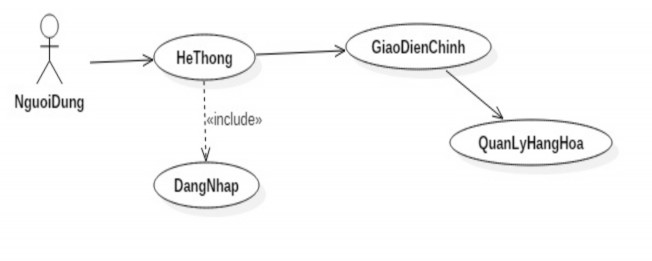
UseCase Diagram:
Maybe you are interested!
-
 Vietnam's supermarket system in the context of integration - current situation and development proposals - 2
 -
 Training and Professional Development of Land Price Management Team
 -
 Content of Implementation of Legal Policy on Management of Education Sector Officials
 -
 Suitable waste business management model for Vietnam - 13
 -
 Organizing Capacity Training to Develop School Education Programs According to the New General Education Program for Management and Teaching Staff
Decomposition diagram:
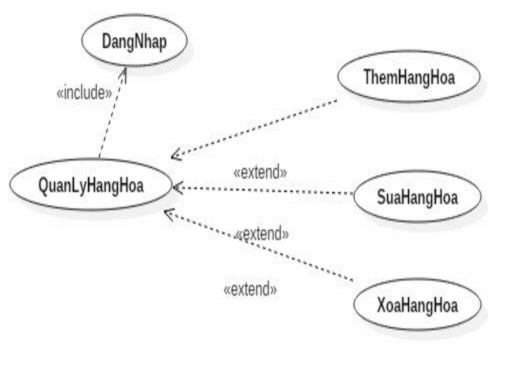
Operation diagram:
Figure 5. Flowchart of entering product information
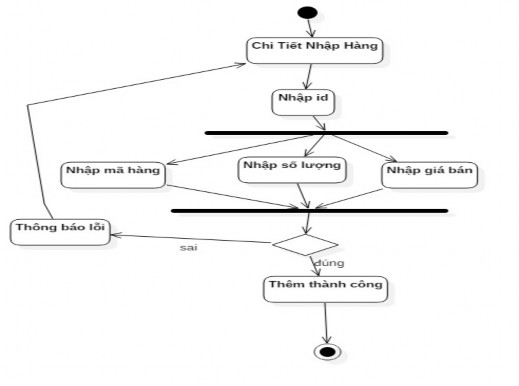
3.7.3 Import flow chart
Figure 6. Import flow chart
3.7.4 Export flow chart:
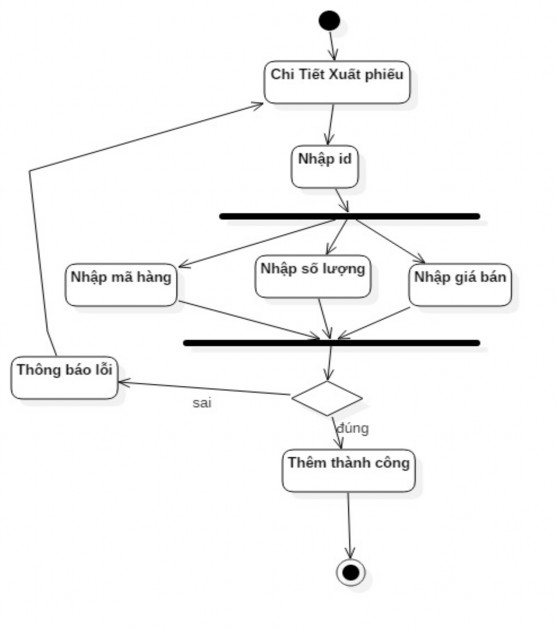
Figure 7. Export flow chart
3.7.5 Flowchart of adding customers
Figure 8. Flowchart of adding customers
3.7.6 Flowchart of adding employees
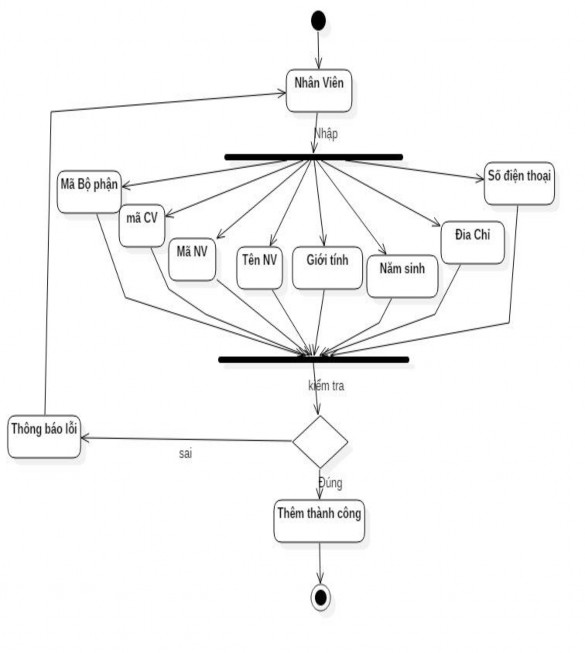
Figure 9. Flowchart of adding employees
3.8 Results achieved:
3.8.1 System flow chart:
The system flow chart after analysis is synthesized and constructed as follows:
Mini supermarket management
Page
owner
Name
Item
Import - Export goods
chemical
Business
Collect
Information
news part
Manure
Rights
Manage
Staff
Import to warehouse
Revenue
Information
believe
Update
information
Manage
Client
Product delivery
Profit
Direction
Instructions for use
Exit
Manage
Supplier
Inventory
Manage
Goods
Figure 10. Functional diagram
3.8.2 Instructions for using the program:
3.8.2.1 Login form:
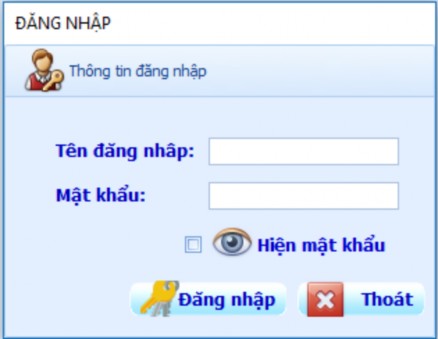
Figure 11. Login Form
Purpose: The Login Form is used to help users control and protect their system. The login form will contain information text such as Username and Password so that users can enter information and access the system. The steps to log in to the system include:
Enter correct Username, Password (Here I enter username as admin)
Check the entered password by checking the button
After checking that the password is correct, we continue to select the button  to log into the system.
enter
There is also a button when the user does not want to continue logging in.

Passwords are MD5 encrypted to provide higher security for users
MaHoa(“password”, “key”); For example: MaHoa(“admin”, “son”) we get the character string S6NDC69fkRo= After successfully logging in, the interface will display the screen as below:
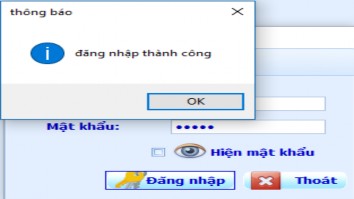
Figure 12. Successful login
Login successful => means you have successfully logged in, then click the OK button to log in to the system. Otherwise, if it fails, you will return to log in information.
3.8.2.2 Main interface
After successful login, the main interface of the system will appear as follows:
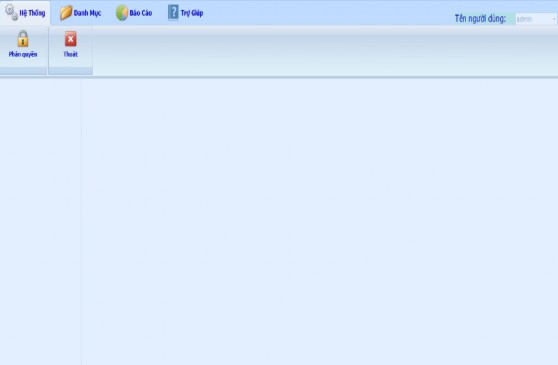
Figure 13. Main interface of the software
The main horizontal menu bar of the system will include main items such as: System, Management category, information, contact.