
a4
5,700,000 VND | 2,440,000 VND | 8,140,000 VND |
Maybe you are interested!
-
 Office Informatics Information Technology Profession - College - Dong Thap Community College - 2
 -
 Evaluating customer satisfaction with savings deposit services at National Citizen Commercial Joint Stock Bank NCB Tan Huong Transaction Office - 3
 -
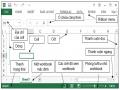 Office 2013 Basic Part 2 - 1
 -
 Factors Affecting the Quality of Auditing Financial Statements of Banks Conducted by the State Audit Office
 -
 Average Proportion of Enterprises by Size in the Period 2000-2009 (Source: General Statistics Office)

Total:
A | B | C |
700000 | 600000 | 500000 |
110000 | 90000 | 75000 |
Room type
Weekly price Daily price
Note : In the data table above, STU, SNG are numbers.
week and number
date of stay
Guest. TTUAN, TNGAY are weekly and daily rates (because the hotel offers discounts to guests who register for a weekly room rate).
Sentence 1From the arrival and departure date values, calculate the number of weeks (STU) and days (SNG) of stay (for example: 12 days is calculated as 1 week and 5 days).
Sentence 2Based on the price list for each type A, B, C above, calculate the weekly and daily amount of the guests.
Sentence 3Calculate TTIEN by the sum of weekly and daily money; calculate the total for the columns TTUAN, TNGAY and TTIEN
Sentence 4Format the departure and arrival date columns as 4-digit years (e.g. 1995) and format the currency columns as #,## đ.
Sentence 5Decorate and save as BTAP4.XLS
Practice instructions:
1. A week consists of 7 days; therefore, the number of weeks is equal to the integer part of the number of days of stay divided by 7. The number of days after calculating the week will be the remainder of the division by 7. We have the following calculation formula:
[STU] = INT (([NDI]-[NDEN])/7)
[SNG] = MOD ([NDI]-[NDEN], 7)
2. To know the unit price (by room type), we look up in the price list, and because the price list arranges data horizontally, we use the HLOOKUP function. Then the weekly unit price is in the second row and the daily unit price is in the third row of the lookup table. We have:
[TTUAN] = [STU] * HLOOKUP([LPH], lookup_table, 2, 0) [TNGAY] = [SNG] * HLOOKUP([LPH], lookup_table, 3, 0)
- In which, the search_table is a range of 9 cells (with a bold frame) from the cell with value A to the cell containing 75000. Use the mouse to select these 9 cells, then press F4 to create an absolute reference.
- You can name the 9-cell area of the unit price table (for example Table4). Then in the formula, you just need to enter the name Table4 in the position of table_search.
After finishing writing, copy the content of Sheet1 to Sheet2 and edit the data in the lookup table into a vertical table and use VLOOKUP to redo question 2. (To copy the sheet, you can select
Sheet name in
copy).
the row containing the Sheet names and press Ctrl+Drag to the side to
LESSON 4b
Use the VLOOKUP search function
MSO
TEN | SALARY | TTIEN | GCHU | |
A | DOS | 40 | 4800000 | X |
B | WORD | 20 | 2800000 | |
C | EXCEL | 35 | 4550000 | X |
A | DOS | 25 | 3000000 | |
C | EXCEL | 35 | 4550000 | X |
B | WORD | 15 | 2100000 | |
C | EXCEL | 40 | 5200000 | X |
B | WORD | 25 | 3500000 | |
A | DOS | 45 | 5400000 | X |
Code Name Unit Price
A
DOS | 120000 | |
B | WORD | 140000 |
C | EXCEL | 130000 |
Sentence 1Select Sheet3 of BTAP4 to enter data.
Sentence 2Based on the table containing the name and unit price of the code, fill in the information in the TEN column.
Sentence 3Calculate TTIEN by multiplying quantity by unit price depending on type, and creating a form with currency unit of $ (form #,##0 “$”)
Sentence 4GCHU column marked X if TTIEN is greater than 4000000, otherwise leave blank (Note blank string is string in the form “” )
Sentence 5Decorate and record the changes you just made in Sheet3.
LESSON 5a
Use string functions (LEFT, RIGHT, MID...) to extract characters used in search functions.
REVENUE REPORT
STT
MAH | TEN | SLG | TTIEN | VCHUYEN | TONG | |
1 | XL0 | Gasoline | 50 | 225,000 VND | 0 VND | 225,000 VND |
2 | DS1 | Oil | 35 | 105,000 VND | 630 VND | 105,630 VND |
3 | NS3 | Viscous | 60 | 600,000 VND | 12,600 VND | 612,600 VND |
4 | DL0 | Oil | 35 | 122,500 VND | 0 VND | 122,500 VND |
5 | XS2 | Gasoline | 70 | 280,000 VND | 2,800 VND | 282,800 VND |
6 | XL1 | Gasoline | 50 | 225,000 VND | 1,125 VND | 226,125 VND |
7 | DL3 | Oil | 40 | 140,000 VND | 2,520 VND | 142,520 VND |
8 | NL2 | Viscous | 30 | 330,000 VND | 4,620 VND | 334,620 VND |
9 | NS0 | Viscous | 70 | 700,000 VND | 0 VND | 700,000 VND |
10 | XS3 | Gasoline | 65 | 260,000 VND | 3,900 VND | 263,900 VND |
2,987,500 VND | 28,195 VND | 3,015,695 VND |
TOTAL
Þ In which, the first character of the item code (MAH) represents the item (TEN); the second character represents the wholesale price (S) or retail price (L); the last character is the area. (0, 1, 2 and 3). The relationship is given in the following table:
Code
Name | Wholesale price | Retail price | Area 1 | Area 2 | Area 3 | |
X | Gasoline | 4000 | 4500 | 0.50% | 1.00% | 1.50% |
D | Oil | 3000 | 3500 | 0.60% | 1.20% | 1.80% |
N | Viscous | 10000 | 11000 | 0.70% | 1.40% | 2.10% |
Sentence 1Based on the first character of MAH and the data table above, fill in the appropriate name in the TEN column.
Sentence 2Calculate the total amount (TTIEN) by multiplying the quantity (SLG) by the unit price; in which the unit price depends on the wholesale or retail price.
Sentence 3Calculate shipping cost (VCHUYEN) with the condition: if area 0 then shipping is free, other areas are calculated according to the % value of the total amount column corresponding to each area given in the table.
Sentence 4Calculate the total (TONG) by adding the cost plus shipping and totaling the columns.
TTIEN, VCHUYEN, TONG. Then format the columns to display the prices in the form
#,##0 VND
Sentence 5Decorate and save as BTAP5.XLS
Practice instructions:
For data tables used to search for information, we should assign names for easy manipulation and processing. Suppose we name the search table Table5.
1. To get the first character of MAH, we use the LEFT function. Because the lookup table is arranged in columns, we
use VLOOKUP function, column 2 contains value VLOOKUP(LEFT([MAH]), TABLE5, 2, 0)
product name. We have:
2. Since there are two types of prices depending on the second character of MAH, we must use IF to determine the column position containing the appropriate price. If it is wholesale price, column 3 contains the unit price, otherwise it will be column 4. Use the MID function to get the characters in the middle of the string. We have the following calculation formula:
[TTIEN] = [SLG] * VLOOKUP(LEFT([MAH), TABLE5,
IF(MID([MAH),2,1) ="S", 3, 4), 0)
3. Use the IF function to check if the area condition is 0 or <> 0; then use VLOOKUP to calculate the % corresponding to each area and multiply by TTIEN. Note, if KV=1 then the returned column is 5, KV=2 then the column is 6, KV=3 then the column is 7 Þ KV+4 = the column number to be returned. Therefore, we have the formula:
IF(RIGHT[MAH]="0", 0, VLOOKUP(LEFT([MAH]), TABLE5,
RIGHT([MAH])+4, 0) * [TTIEN])
The expression: RIGHT([MAH])+4 determines the value of the returned column corresponding to each region. If not commented as above, we must use 2 nested IF functions to determine the position of the column to get: If(kv=1, 5, if(kv=2, 6, 7))
After completing and saving the file, select Sheet2 and practice the same exercise as 5b:
LESSON 5b
REVENUE REPORT
SAP
MSO | VATTU | NGNHAP | SLNHAP | TGNHAP | SLXUAT | TGXUAT | NOTE | |
A1 | 06/02/99 | 15 | 15 | |||||
C2 | 06/04/99 | 20 | 15 | |||||
B1 | 06/05/99 | 30 | 25 | |||||
C1 | 06/08/99 | 10 | 10 | |||||
A2 | 06/15/99 | 25 | 20 | |||||
A1 | 06/17/99 | 30 | 25 | |||||
C2 | 06/25/99 | 35 | 30 | |||||
B1 | 06/27/99 | 20 | 20 | |||||
B2 | 06/30/99 | 25 | 20 |
In which, MSO consists of 2 characters, the first character indicates the material name (A, B, C) the last character indicates the type (1, 2). The table below shows the import and export unit prices of each material corresponding to types 1 and 2:
MSO
VATTU | GNHAP1 | GNHAP2 | GXUAT1 | GXUAT2 | |
A | GAS | 3000 | 3500 | 4000 | 4500 |
B | DAU | 2000 | 2500 | 3000 | 3500 |
C | GRAIN | 10000 | 10500 | 11000 | 15000 |
Sentence 1Based on MSO, fill in the material name in the VATTU column.
Sentence 2Calculate the total import price (TGNHAP) of each type by multiplying quantity by import unit price.
depending on the type. Similarly calculate the total output (TGXUAT)
Question 3 In the notes column, mark X if all imported quantity has been exported.
Sentence 4The SAP column records the order of the corresponding rows according to TGXUAT with the highest value being 1 (sorted in descending order).
LESSON 6
Create chart using Chart Wizard. Absolute reference.
Interest rate
SAVINGS DEPOSIT TRACKING FORM
1.10%
Money | Add bot | Money | |||
Ladder | Head of the ladder | Hybrid | End of month | end of month | end of month |
1 | 20000000 | 220000 | 20220000 | 500000 | 20720000 |
2 | 20720000 | 2000000 | |||
3 | -300000 | ||||
4 | -500000 | ||||
5 | 200000 | ||||
6 | 1000000 | ||||
7 | 600000 | ||||
8 | -200000 | ||||
9 | -500000 | ||||
10 | 1000000 |
Total amount earned after 12 months
Sentence 1Interest calculation = Beginning of month amount * Interest rate
Sentence 2End of month amount = Beginning of month amount + Interest
Sentence 3Total money at the end of the month = End of the month + Add or subtract at the end of the monthSentence 4The amount at the beginning of the next month = Add the amount at the end of the previous month Question 5Calculate the amount of money you will have after 12 months
Sentence 6Create a chart illustrating the amount of money available at the beginning of each month.
Sentence 7Decorate and save as BTAP6.XLS
Practice instructions:
1. Note that, to copy the formula correctly, the reference to the Interest rate cell must be set as an absolute reference.
After calculating in the first cells, copy the formula down and note that only when copying in the last cell of the table will the data be filled in completely.
5. The article only has data for 10 months. To calculate up to 12 months, we consider the last month addition and subtraction as 0, and calculate according to the formula:
Suppose the total after 10 months is x. Then we have
Total after 12 months = (x + x*Yield) + (x + x*Yield)*Yield Where Yield here is the cell containing the value 1.1%.
6. Draw a chart
Step 1
Step 2
Select the data area: including the Month column and the Start column. Select the ChartWizard icon, the cursor is in the form of a + sign.
(Draw an area on the spreadsheet to place the chart)
Step 3 Provide the necessary information then select [Finish] to finish.
Follow the steps in the theory section.
The chart has the form:
30000000
25000000
20000000
15000000
10000000
5000000
0
1 2 3 4 5 6 7 8 9 10
Once you've created your chart, select each element in the chart to edit and view the results to learn more about the components in a chart.
LESSON 7a
Create data tables, use database functions (DSUM, DAVERAGE...), organize condition areas.
HUE WATER PLANT
STT
KHANG | KVUC | METK | TTIEN | PTHU | TTHU | |
1 | VALVE | A | 45 | 58500 | 0 | 58500 |
2 | HOANG | B | 65 | 91000 | 6500 | 97500 |
3 | VO | C | 23 | 34500 | 3450 | 37950 |
4 | TRAN | B | 14 | 19600 | 1400 | 21000 |
5 | LE | C | 78 | 117000 | 11700 | 128700 |
6 | BUI | A | 93 | 120900 | 0 | 120900 |
7 | VU | A | 90 | 117000 | 0 | 117000 |
8 | NGUYEN | C | 24 | 36000 | 3600 | 39600 |
9 | BUI | B | 56 | 78400 | 5600 | 84000 |
10 | LE | B | 78 | 109200 | 7800 | 117000 |
Area | Surcharge | Unit price | ||||
A | 0 | 1300 | ||||
B | 100 | 1400 | [search_table] | |||
C | 150 | 1500 |
Sentence 1Total Price = Cubic Meter * Unit Price (depending on area)
Sentence 2Total revenue = Total amount + Surcharge (by area)
Sentence 3Calculate the maximum, minimum and average total consumption of cubic meters consumed by each area and record the results in the following table:
Area
A | B | C | |
Total | 296400 | 319500 | 206250 |
Biggest | 120900 | 117000 | 128700 |
Smallest | 58500 | 21000 | 37950 |
Medium | 98800 | 79875 | 68750 |
Sentence 4Draw a graph to illustrate the table in question 3.
Sentence 5Decorate and save the file with the name BTAP7.XLS
Practice instructions:
1. Use Vlookup to calculate the unit price of each area then multiply by the number of cubic meters, we have: (column 3 of the lookup table contains the unit price)
[TTIEN]=[METK] * VLOOKUP([KVUC], [Search_State], 3 , 0)
2. Similarly, with column 2 of the search table containing surcharges, we have: [TTHU]=[TTIEN] + VLOOKUP([KVUC], [Bang_Search], 2 , 0)
3. Use the database functions DSUM, DMIN, DMAX, DAVERAGE with the following organized area conditions:
KVUC
KVUC | KVUC | |
A | B | C |
Note that the labels involved in the condition must be exactly the same as the column labels in the data table. We often use the copy function to copy the column labels to avoid errors.
Suppose the data table is named DATA7a, we have the formula to calculate the total consumption
The receiver of area A is: DSUM(DATA7a, “TTHU”, [condition]), where [condition] are two cells
KVUC and A in the above condition range. Similar to the formula in the remaining cells.
- In practice, we copy the formulas to the adjacent cells, then edit them for accuracy.
4. Graph:
ABC
400000
300000
200000
100000
0
Tong
Biggest
Best
Medium
EXERCISE 7b
Apply database functions that combine string functions. Review search functions (Continue practicing in Sheet2 of lesson 7a)
SALARY LIST JUNE 2005
SO
MASO | HOTEN | FADE | CHVU | TDOVH | LGCB | PHCAP | NGCONG | BENEFIT | Salary | |
AFD8 | Pink | 460 | 23 | |||||||
CFC1 | Bar | 310 | 24 | |||||||
CMT5 | Paint | 330 | 23 | |||||||
BMC7 | Hoang | 430 | 25 | |||||||
CMT3 | Heart | 320 | 24 | |||||||
CFT3 | Lan | 320 | 22 | |||||||
CFC6 | Tomorrow | 360 | 26 | |||||||
CFT4 | Thuy | 350 | 23 | |||||||
CMD2 | Hung | 310 | 20 | |||||||
CMC9 | Love | 380 | 23 |
MaxL= | ? | MinL= | ? | AveL= | ? |
The above MASO consists of 4 characters MS1, MS2, MS3 and MS4, the first character is the position, the second is the sex, the third is the educational level and the last character is the number of years of work, with the following values:
MS1
Position | MS2 | Sect | MS3 | Cultural level | MS4 | Years of service | |||
A | TP | F | Female | D | University | ||||
B | PP | M | Male | C | College | ||||
C | NV | T | Intermediate |
Sentence 1Based on MASO, insert information into columns PHAI, CHVU, TDOVH
Sentence 2Calculate PHCAP = PCCV + THNIEM, with THNIEM = NAMCT * 6000 and PCCV is calculated as follows:
CHVU
PCCV | |
TP | 40000 |
PP | 25000 |
NV | 10000 |
Sentence 3Calculate COMMERCIAL. Know: If
NGCONG>=25, THUONG = 120,000; if
23<=NGCONG<25,
BONUS=70,000; remaining BONUS=20,000
Question 4 Calculate CGLUONG = LGCB*1200 + PHCAP + THUONG
Sentence 5Highest Salary
Lowest Salary Average Salary
MaxL MinL AveL
Sentence 6The SO column is numbered according to CGLUONG with the highest level being 1.
Sentence 7Calculate the total PHCAP, THUONG and CGLUONG according to PHAI and save it in Sheet3, according to the following form:
Sect
Allowance | Bonus | Total salary | |
Male | ? | ? | ? |
Female | ? | ? | ? |
Sentence 8Decorate and record changes