
LAM DONG PROVINCE PEOPLE'S COMMITTEE
DA LAT VOCATIONAL COLLEGE
COURSE BOOK
Maybe you are interested!
-
 Advanced XML Web Programming - Dalat College of Technology - 10
 -
 Advanced XML Web Programming - Dalat College of Technology - 5
 -
 Advanced XML Web Programming - Dalat College of Technology - 31
 -
 Advanced XML Web Programming - Dalat College of Technology - 21
 -
 Java programming Web design profession - Dalat College of Technology - 8
SUBJECT/MODULE: ADVANCED WEB PROGRAMMING (XML) INDUSTRY/OCCUPATION: WEBSITE DESIGN
LEVEL: COLLEGE
Issued with Decision No. 1157/QD-CDNDL dated December 11, 2019 of the Principal of Dalat Vocational College
(INTERNAL CIRCULATION)
Lam Dong, 2019
COPYRIGHT STATEMENT
This document is a textbook and may be used in its entirety or excerpted for training and reference purposes.
Any other purpose that is deviant or used for unfair business purposes is strictly prohibited.
The textbook is circulated internally at Dalat Vocational College.
INTRODUCTION
Some information about the origin of the textbook:
This textbook is written based on Circular No. 03/2017/TT-BLDTBXH dated March 1, 2017 of the Ministry of Labor - Invalids and Social Affairs on Regulations on the process of building, appraising and promulgating programs; organizing the compilation, selection and appraisal of training textbooks at intermediate and college levels.
Editing process:
This course was compiled with the active participation of experienced teachers, along with valuable contributions from experts in the field of information technology.
Relationship of document to program, module/subject:
Based on the Web Design vocational training program, the curriculum helps provide learners with basic knowledge of web programming with XML as well as web programming skills on Microsoft Visual Studio .NET tools.
To learn this module, learners need basic knowledge of web design with HTML, XML and basic programming.
The general structure of this course includes 4 lessons:
Lesson 1: OVERVIEW OF INTEGRATING WEB APPLICATIONS BASED ON XML
Lesson 2: BUILDING WEB APPLICATIONS BASED ON XML
Lesson 3: TOPICS OF INTEGRATED APPLICATION DEVELOPMENT ON MULTIPLE PLATFORMS, ON CURRENT INFORMATION SYSTEMS AND ON DIFFERENT DEVICE LINES
Lesson 4: RELATIONSHIP BETWEEN XML AND .NET
Thanks
The textbook is compiled on the basis of the State's regulations and references many valuable related documents. However, the compilation process certainly cannot avoid certain shortcomings. The editorial board hopes and really thanks the comments and assessments of experts and teachers who contribute to the editing to make the textbook more and more complete.
Lam Dong, December 10, 2019
Participate in editing
1. Pham Dinh Nam
2. Ngo Thien Hoang
3. Nguyen Quynh Nguyen
4. Phan Ngoc Bao
INDEX
PAGE TITLE
FOREWORD 3
TABLE OF CONTENTS 4
INTRODUCTION TO MODULE/COURSE 5
RELATIONSHIP DIAGRAM ACCORDING TO THE SEQUENCE OF APPRENTICEMENT 7
MAIN FORMS OF LEARNING IN MODULE/SUBJECT 8
MODULE/COURSE COMPLETION ASSESSMENT REQUIREMENTS 9
Lesson 1: OVERVIEW OF INTEGRATING WEB APPLICATIONS BASED ON XML 10
I- Overview of XML 10
II-XML Basics 11
III-Parsing XML documents 37
Lesson 2: BUILDING WEB APPLICATIONS IN THE DIRECTION
XML BASED 44
I-Database level integration 44
II-Web Development 75
III-Building user interface based on XML 76
IV-Messaging based on XML 127
V-Building server-level applications 189
VI-Building client level 208
Lesson 3: TOPICS IN INTEGRATED APPLICATION DEVELOPMENT
MULTIPLE PLATFORMS, ON EXISTING INFORMATION SYSTEMS AND ON DIFFERENT DEVICE LINES 239
I-Mechanism for establishing applications related to multiple platforms 239
II-Build cross-platform applications based on
web service 241
III-Integrating existing information systems 242
IV-Creating interfaces between existing systems 243
V-Integrated application system architecture 245
Lesson 4: CONNECTION BETWEEN XML AND .NET 249
I-XMLP(SOAP) Issues 249
II-Installing e-Business applications using Biztalk server 256
III-Data Access and XML 257
IV-Parsing and generating XML documents 262
TECHNICAL TERMINOLOGY 267
REFERENCES 268
LESSON 1
TITLE : OVERVIEW OF INTEGRATING WEB APPLICATIONS BASED ON XML
Article code: 01
Introduce :
In this lesson, we will briefly understand the history and syntax of XML. In addition, we will also study the theory of how to build cross-platform and cross-device websites as well as use .NET to resolve XML.
Implementation objectives:
After completing this lesson, students will be able to:
- Understand the basics of XML (Extensible Markup Language) programming as a potential application integration direction.
- Integrate existing applications into applications that exploit information resources for management and operation.
- Can be integrated on multiple platforms (Multiplatform) and multiple device lines (Cross Device Development)
- Solve the class of integration problems posed today.
- Know how to combine XML programming with Microsoft .NET technology
Main content:
1. Overview of XML.
XML has a huge influence on current communication technology, especially the Web environment. Among us, surely we have heard of Web Services. These are services on the Web that we can use on-demand, that is, when needed for our program, by calling it in the same way as calling a function. Web Services are implemented based on XML and Http, the standard used to send Web pages.
The important thing about XML is that it is not owned by any one company, but is a widely accepted standard because it is written by the World Wide Web Consortium - W3C and those who want to contribute by exchanging emails and forums. XML itself is not difficult to understand, but the standard tools that are defined to work with XML such as Document Object Model - DOM, XPath, XSL, etc. are very effective, and these standards are constantly being developed.
Microsoft has been committed to XML from the beginning. Not only is it represented on a regular basis in the W3C, but it has also actively contributed by submitting proposals. Microsoft's position on XML is that while the standard is not yet finalized, Microsoft products will conform to what seems to be the most widely accepted standard, and when the standard is finalized, they will conform fully.
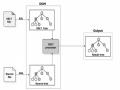
Microsoft's most prominent XML tool is ActiveX MSXML. It has been used in Visual Basic 6, ASP (Active Server Pages) of IIS and Internet Explorer since version 5.5. MSXML is now available in version 4.0. MSXML parses and validates XML files to produce a DOM, a tree of nodes representing the elements within the XML. MSXML also allows us to rely on an XSL file to transform an XML file into a Web page (HTML) or other XML.
XML stands for eXtensible Markup Language - but what is a Markup Language? In the printing industry, to instruct the typesetter how to print a piece, the author or editor often draws circles in the manuscript and annotates it in a markup language similar to shorthand. That language is called a Markup Language.
XML is a relatively new markup language as it is a subset of and derived from a markup language called Standard Generalized Markup Language (SGML). The HTML language is also based on SGML, in fact it is an application of SGML.
SGML was invented by Ed Mosher, Ray Lorie and Charles F. Goldfarb of IBM research in 1969, when men landed on the moon. It was originally called Generalized Markup Language (GML), and was designed to be used as a meta-language, a language used to describe other languages - their grammars, vocabularies, etc.
In 1986, SGML was adopted by the International Standards Organization (ISO) as a standard for storing and exchanging data. When Tim Berners-Lee developed HyperText Markup Language (HTML) for use on Web pages in the early 1990s, he kept mentioning that HTML was an application of SGML. Because SGML was so complex, and HTML had many limitations, the W3C designed XML in 1996. XML version 1.0 was defined in the February 1998 W3C Recommendation, which is similar to an Internet Request for Comments (RFC), as a "standard".
In a Web page, the HTML markup language uses pairs of Tags to mark the beginning and end of pieces of data to help the browser parse the Web page and display the parts according to the Web page designer's wishes. For example, the HTML sentence below:
<P align="center">Welcome to visit us
<STRONG>Vovisoft</STRONG>Web site
</P>
The above HTML code contains two tags <P> and <STRONG>. Each Tag pair encapsulates the data it marks between an opening tag and a closing tag. The two closing tags here are </P> and </STRONG>. Everything inside a Tag pair is called an element. To further characterize an Element, we can have an attribute like align in the opening tag of that Element in the form of AttributeName="value", for example align="center".
Since HTML tags are used to format the display of a document, the browser needs to know the meaning of each tag. A browser or HTML parser will collect the following instructions from the above HTML sentence:
Start a new Paragraph and center the Text on the page (<P align="center">). Display the sentence Welcome to our visit
Display the word Vovisoft strongly (<STRONG>Vovisoft</STRONG>). Display the sentence Web site
Meets the end point of the Paragraph (</P>)
To process the above HTML code, the browser not only needs to locate the Tags but also needs to understand the meaning of each Tag. Because each Tag has its own meaning, for example P for Paragraph, STRONG for emphasis, for example using bold.
II. XML Basics
As mentioned above, HTML documents use tags for markup and it is an application of SGML. Like HTML, XML also comes from SGML. It also uses tags to define data. The main difference between HTML and XML is that while HTML tags contain meaning about the formats of presentation of data, XML tags contain meaning about the structure of data. For example, an XML order document below:
<Order OrderNo="1023">
<OrderDate>2002-3-27</OrderDate>
<Customer>Peter Collingwood</Customer>
<Item>
<ProductID>1</ProductID>
<Quantity>5</Quantity>
</Item>
<Item>
<ProductID>4</ProductID>
<Quantity>3</Quantity>
</Item>
</Order>
This document only contains data, not any reference to the presentation. This means that an XML parser does not need to understand the meaning of the tags. It only needs to find the tags and determine that this is a valid XML document. The browser does not need to understand the meaning of the tags, so we can use any tag. That is why people use the word eXtensible, but when using the abbreviation, they choose X instead of e, probably because X sounds more mysterious and attractive.
Let's take a closer look at the structure of an XML. First, the Order element has an OrderNo attribute with the value 1023. Inside the Order element, there are:
An OrderDate child element with the value 2002-3-27
A Customer child element with the value Peter Collingwood.
Two Item child elements, each Item element contains a ProductID child element and a Quantity child element.
Sometimes we leave an element with a name but no value, because we want to use it as an optional element, which is fine to have or not to have. The most natural way is to attach the closing tag immediately after the opening tag. For example, the empty MiddleInitial element in the customer element below:
<Customer>
<FirstName>Stephen</FirstName>
<MiddleInitial></MiddleInitial>
<LastName>King</LastName>
</Customer>
Another way to represent an empty element is to remove the closing tag and add a "/" at the end of the opening tag. We can rewrite the customer example as follows:
<Customer>
<FirstName>Stephen</FirstName>
<MiddleInitial/>
<LastName>King</LastName>
</Customer>
Of course, empty elements can also have properties like the second PhoneNumber element below:
<Customer>
<FirstName>Stephen</FirstName>
<MiddleInitial></MiddleInitial>
<LastName>King</LastName>
<PhoneNumber Location="Home">9847 2635</PhoneNumber>
<PhoneNumber Location="Work"></PhoneNumber>
</Customer>
An XML document must be well-formed and valid. Although these two words sound similar, they have different meanings. A well-formed XML is an XML that is suitable for the parser to process. That is, the XML follows the rules for tags, elements, attributes, and values.
.etc. contained inside so that the parser can recognize and differentiate everything.
It is important to note that well-formed XML does not necessarily contain business-useful data. Being well-formed simply means that the XML is structured correctly. To be business-useful, XML must not only be well-formed but also valid. A valid XML document contains the data expected of that document type or class. For example, an order XML might be required to have an OrderNo attribute and an Orderdate child element. The validation parser processes an XML document by checking that the data in the XML matches the data defined in a specification for that XML document type. This specification might be a Document Type Definition (DTD) or a Schema.
So how do you create a well-formed XML document?
To be well-formed, an XML document must conform to the following rules:
- There must be a single root Element, called the Document Element, which contains all other Elements in the document.
- Each opening tag must have a matching closing tag.
- Tags in XML are case sensitive.
- Each child element must be completely contained within its parent element.
- Attribute values in XML must be enclosed between double quotes or single quotes.
The first rule requires a single root element, so the following document is not well-formed because it does not have a root element:
<Product ProductID="1">Chair</Product>
<Product ProductID="2">Desk</Product>
An XML document without a root element is called a fragmented XML document. To make it well-formed we need to add a root element as shown below:
<Catalog>
<Product ProductID="1">Chair</Product>
<Product ProductID="2">Desk</Product>
</Catalog>
The second rule states that every opening tag must have a closing tag like it. That is, every opening tag must be closed. An empty element written concisely like <MiddleInitial/> is said to have a self-closing tag. Other tags must have a closing tag. The XML document below is not well-formed because it contains an <Item> tag without a closing tag </Item>:
<Order>
<OrderDate>2002-6-14</OrderDate>
<Customer>Helen Mooney</Customer>
<Item>
<ProductID>2</ProductID>
<Quantity>1</Quantity>
<Item>
<ProductID>4</ProductID>
<Quantity>3</Quantity>
</Item>
</Order>
To make it well-formed we have to add a closing tag to the first Item element:
<Order>
<OrderDate>2002-6-14</OrderDate>
<Customer>Helen Mooney</Customer>
<Item>
<ProductID>2</ProductID>
<Quantity>1</Quantity>
</Item>
<Item>
<ProductID>4</ProductID>
<Quantity>3</Quantity>
</Item>
</Order>
The third rule says that Tag names are case sensitive. Since <order> is different from <Order>, we cannot use the </Order> Tag to close the <order> Tag. The XML below is not well-formed because the opening and closing tags of the OrderDate element are not spelled the same:
<Order>
<OrderDate>2001-01-01</Orderdate>
<Customer>Graeme Malcolm</Customer>
</Order>
To make it well formed, we have to change the letter d to a capital D like this:
<Order>
<OrderDate>2001-01-01</OrderDate>
<Customer>Graeme Malcolm</Customer>
</Order>
The fourth law says that each child element must be completely contained within its parent element, meaning that a new element cannot begin until the parent element has ended. For example, the XML document below is not well-formed because the closing tag of Category appears before the closing tag of Product.
<Catalog>
<Category CategoryName="Beverages">
<Product ProductID="1"> Coca-Cola
</Category>
</Product>
</Catalog>
To fix it to be well-formed, we need to close the Product Tag first as below:
<Catalog>
<Category CategoryName="Beverages">