
STT
Screen Type | Meaning of use | Main content | |
real world | |||
5 | Calculation processing screen | Allows users to provide information necessary for implementation some job | Information to be provided |
6 | Results screen | Present the results to the user the performance of a certain job | Results |
7 | Notification screen | Notice, reminder to users in the process of doing something | Operations |
8 | Search screen | Allows searching for information that has been stored | Search criteria rescue |
Maybe you are interested!
-

 Credit risk management at Vietnam International Commercial Joint Stock Bank - Hanoi Branch - 12
 -
 Credit risk management for personal loans at Nam A Commercial Joint Stock Bank - Quang Ninh Branch - 13
 -
 Solutions to improve the quality of asset and liability management at Vietnam Bank for Agriculture and Rural Development - 19
 -
 Credit risk management at Military Commercial Joint Stock Bank, Hue Branch - 12
 -
 Current Status of Credit Risk Management at Vietnam Bank for Agriculture and Rural Development
5.5.4. Main screen design
1) Main screen description:
- Meaning of use: The main screen (MAIN, HOMEPAGE, DASHBOARD) is the screen that allows users to choose the work they want to do with the software. Normally, each software has only one main screen.
- Content: List of tasks that can be done with the software.
- Presentation: Hotkeys, menus, icons, diagrams, integration
- User operations: On this screen, the user's main operation is to select a job from the list of jobs provided by the software.
2) Design the main screen using hotkeys:
Jobs are not explicitly displayed but are selected through function keys on the keyboard, usually a combination of keys such as Ctrl + F1, Shift + F2, ... This form only allows quick selection of a necessary job for professional users. Usually not used alone but must be combined with other screens.
3) Design the main screen using menu:
Jobs with similar meanings are grouped into functional groups, such as storage jobs, rendering jobs, processing jobs, etc. This is the most common form of presentation.
Menu organization: The menu includes many functional groups corresponding to groups of jobs, each functional group includes many functions, each function corresponds to a job.
Menu classification: there are 3 types
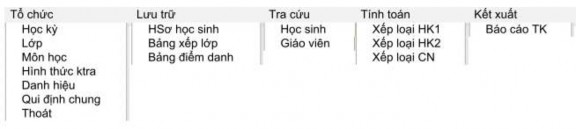
- Function-oriented menu: Function groups correspond to request types:
+ Organization: Organization related work
+ Storage: Storage jobs
+ Search: Search and follow-up jobs
+ Calculation: Calculation work
+ Output: Reports
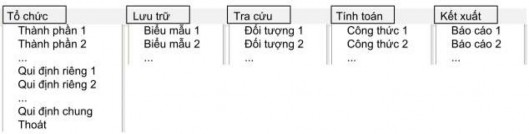
Example 1: Main screen of student management software
Example 2: Main screen of football tournament management software

Example 3: Main screen of sales management software

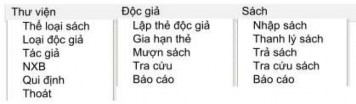
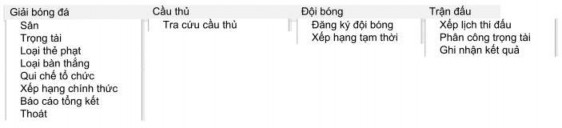
- Object-oriented menu
+ Functional groups correspond to object classes. With a class diagram of n objects, the menu will include n+1 functional groups.
A functional group that corresponds to a real-world object; for example, a library, a school, a football league.
n functional groups corresponding to n object classes.
+ The functions within each group are tasks related to the corresponding object class. These tasks can be divided into the following types:
Storage: Records information about an object or its relationship to other objects.
Lookup: search and track object activities.
Calculations: calculations related to objects
Output: reports related to the object.
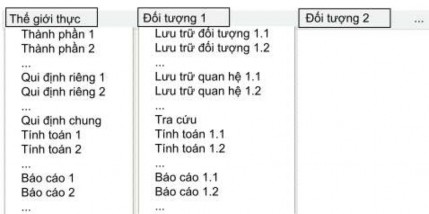
Example 1: Library management software
Example 2: Soccer tournament management software
- Process-oriented menu
+ The functional groups correspond to the stages in the real world operations. Usually the real world includes the following stages:
Organization: determine organizational structure, issue regulations
Plan: Make plans for upcoming activities
Receiving: Receiving information necessary for operations
Activities: record information generated by activities
Summary: calculate and prepare summary reports
+ The above stages are not necessarily required for every process, but are for reference only.
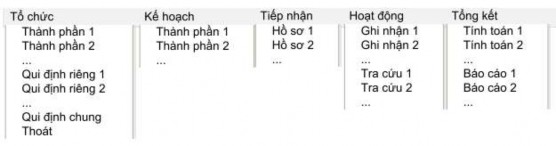
Example 1: Main screen of student management software
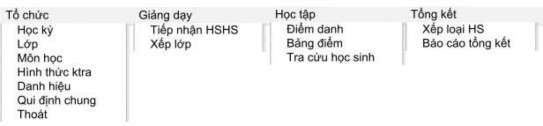
Example 2: Main screen of football tournament management software

4) Design screen using icons:
Tasks are represented visually by an icon, such as a symbol or image representing the task. Similar to but more convenient than hotkeys. This format is usually combined with other screens.
For example:

Figure 5.19. Main screen of question bank management software
5) Design screens using diagrams
Depending on the diagram, the main objects of interest in the work are visually represented, such as hotel diagrams, traffic diagrams, flight diagrams, etc. The work is now represented through direct operations on the diagram.
Example: A hotel's schematic screen
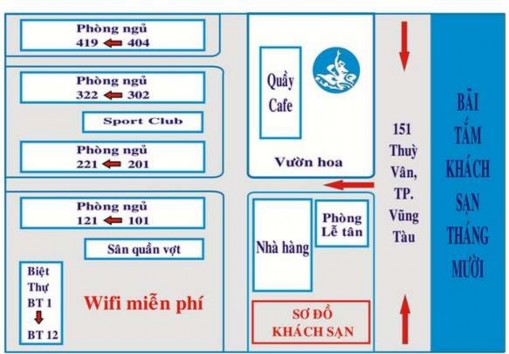
Figure 5.20. Screen using diagram
6) Integrated display design
Using multiple formats at the same time, usually the menu format will be chosen first and combined with one or more other formats.
5.5.5. Design the introduction screen
The introduction screen is a screen used to provide information about the name of the software product, product description, copyright, version, development team, contact address, logo, etc.
Example 1:
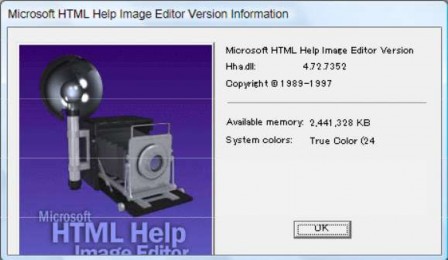
Figure 5.21. Microsoft HTML Help Image Editor software introduction screen
Example 2:
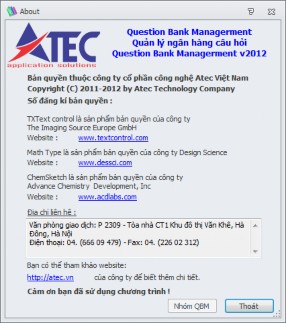
Figure 5.22. Introduction screen of the Exam Question Bank Management software
5.5.6. Login screen design
When users want to access the system, they must log in. The login screens are classified as follows:
1) Login screen with Username/Password
- Components of the screen
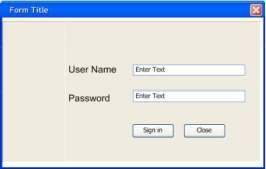
Figure 5.23. Sample login screen
- Example 1
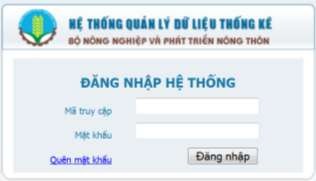
Figure 5.24. Data management system login screen
- Example 2:
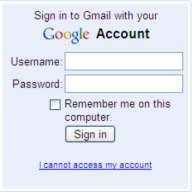
Figure 5.25. Gmail login screen
2) Login screen with Username/Password and Secret Key, Secret Key is saved as a file using encryption methods: RSA, AES,…
- Components of the screen
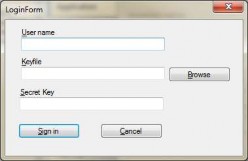
Figure 5.26. Sample login screen with secret key
- For example:
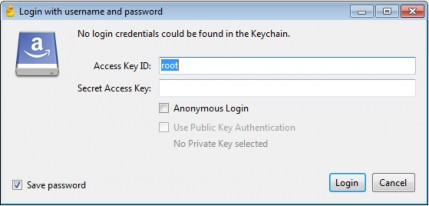
Figure 5.27. Login screen with Password and Secret Key
3) The login screen uses a different locking mechanism
- Types of locks
+ SafeNet: Is an information and data security solution consisting of two solutions: SafeNet ProtecFile (file encryption) and SafeNet ProtecDrive (hard drive and portable storage device encryption). These two solutions are separate but can complement each other.
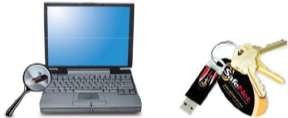
For example
Figure 5.28. Logging in using SafeNet
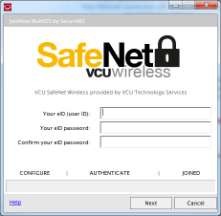
Figure 5.29. SafeNet login screen
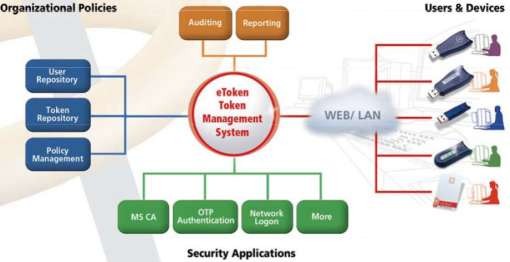
Figure 5.30. Security applications
+ RSA SecurID: Is a mechanism developed by Security Dynamics to perform two-factor authentication (hardware and software) of a user using network resources.